
No matching topic. Try a shorter word, or clear the search to browse every chapter.
Start here
A game that fits the way you want to play
Build a large collection of real cats and compete in worldwide rankings. Or settle into a gentler rhythm of caring, decorating, playing and becoming friends with your companions. You can do either, both, or change your focus whenever you like.
Care is optional. Feeding, resting and mini-games are not required to collect cats or improve your collected-cat ranking. They reward a separate activity and friendship progression, including activities with gallery cats.
Cats GO is intended to welcome younger cat lovers and older collectors alike. Younger players can use the private local album. Online registration requires an adult declaration, and parental consent and parental account management are not implemented. See the current privacy notice before choosing an online account for a younger player.
Chapter 01
Start your collection
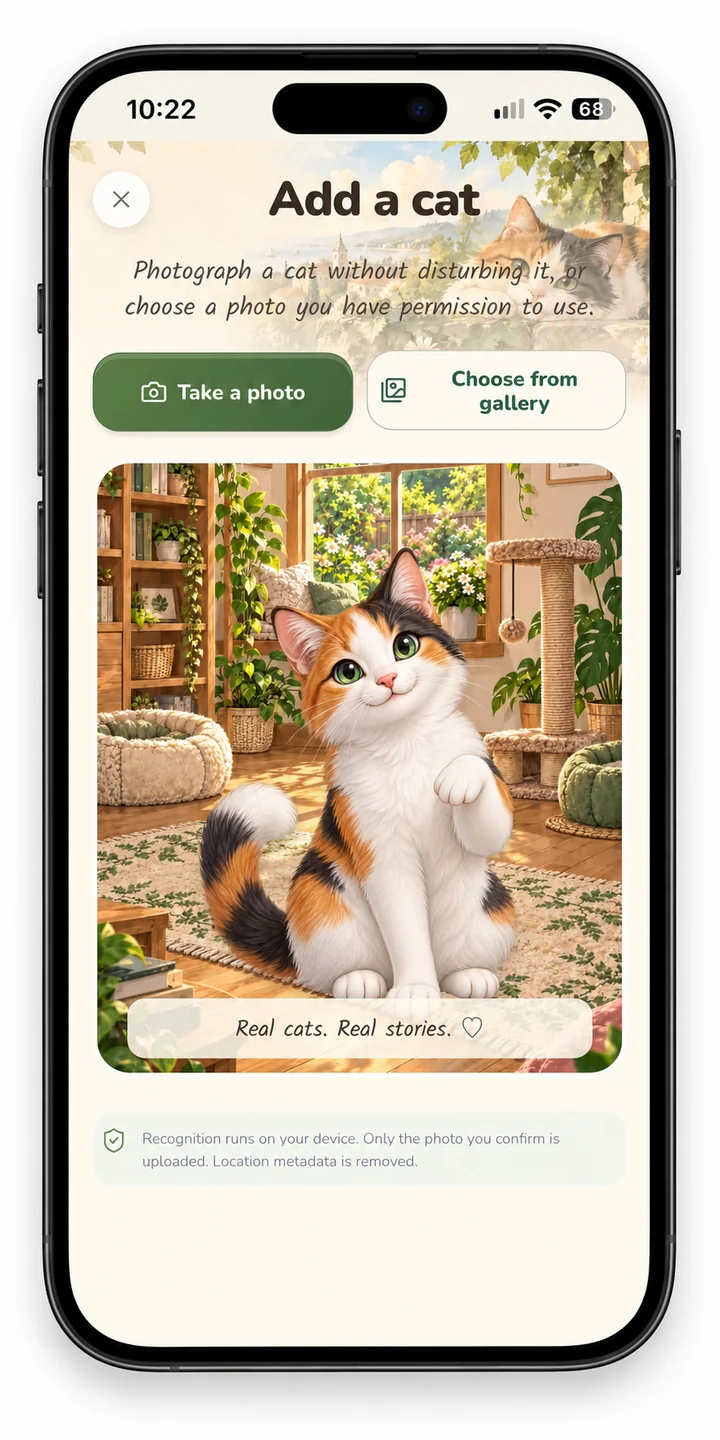
Choose a private album on this device or an available online account. Tap the central camera, photograph a cat or choose a picture from your gallery. Select the detected cat, give it a name and add it.
Camera or location permission can be declined; gallery and private play remain available.
Your first few minutes
- Choose the private device album or an available online account.
- Tap the central camera button. Take a photo or select one from your gallery.
- Select the detected cat, review its name and appearance, then confirm.
- For an online encounter, review the location and sharing choices before adding it.
- Open Cats to enjoy your collection, or choose a cat in Garden or Home for optional care and play.
Choose your own pace: collecting is a complete way to play. Feeding, mini-games, walks and friendship are optional. They do not need to be completed to improve your collector ranking.
Chapter 02
Photos & recognition
Cats GO automatically detects cats in the photo you select. Use a bright, sharp image with the whole cat visible. A very dark, blurred or low-quality image may prevent the game from detecting the cat; take a clearer photo and try again. If several cats are detected, select one. Recognition and cutouts can make mistakes; try a clearer photo or the offered manual framing option.
The same photo cannot repeatedly fill the same collection. Do not photograph people or documents in the background, or disturb an animal for a reward.
Take a new photo with the in-game camera or add a cat directly from your photo gallery. A gallery cat can earn experience (XP) normally through care and play, and can take part in eligible portrait voting. It is not counted as a newly collected cat and does not increase your total in the Collectors ranking. Only reviewed, listed cats photographed with the in-game camera increase that total.
Chapter 03
Photos, avatars & AI portraits
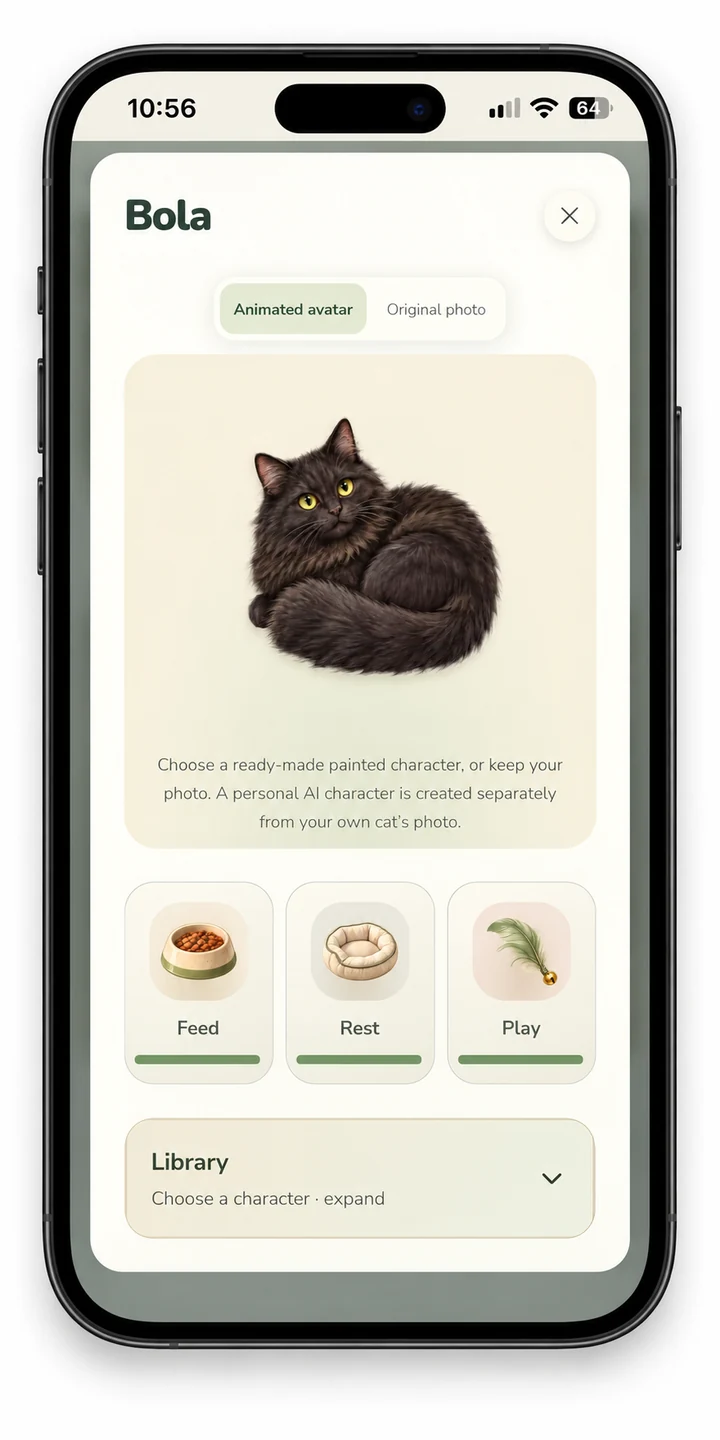
A photo keeps your cat's real appearance. By default, the avatar is cut out from the original photograph: background removal isolates the cat and places that real appearance into the game’s artwork. The ready-made library has 36 illustrated characters: 24 free and 12 Premium.
These are selected characters, not an exact reconstruction. A personal AI portrait uses the cat's photo, requires your explicit choice and an online service. Details can differ.
Portraits animate as 2D artwork.
| Appearance | What it does |
|---|---|
| Original photo / cutout | Keeps the real cat. Background removal can place its cutout into the game’s artwork. |
| Character library | Choose a ready-made illustration: 36 characters, including 24 free and 12 Premium. |
| Personal AI portrait | An optional online portrait generated from your cat’s image. It may differ from the photograph and has separate entitlement rules. |
Chapter 04
Care & friendship
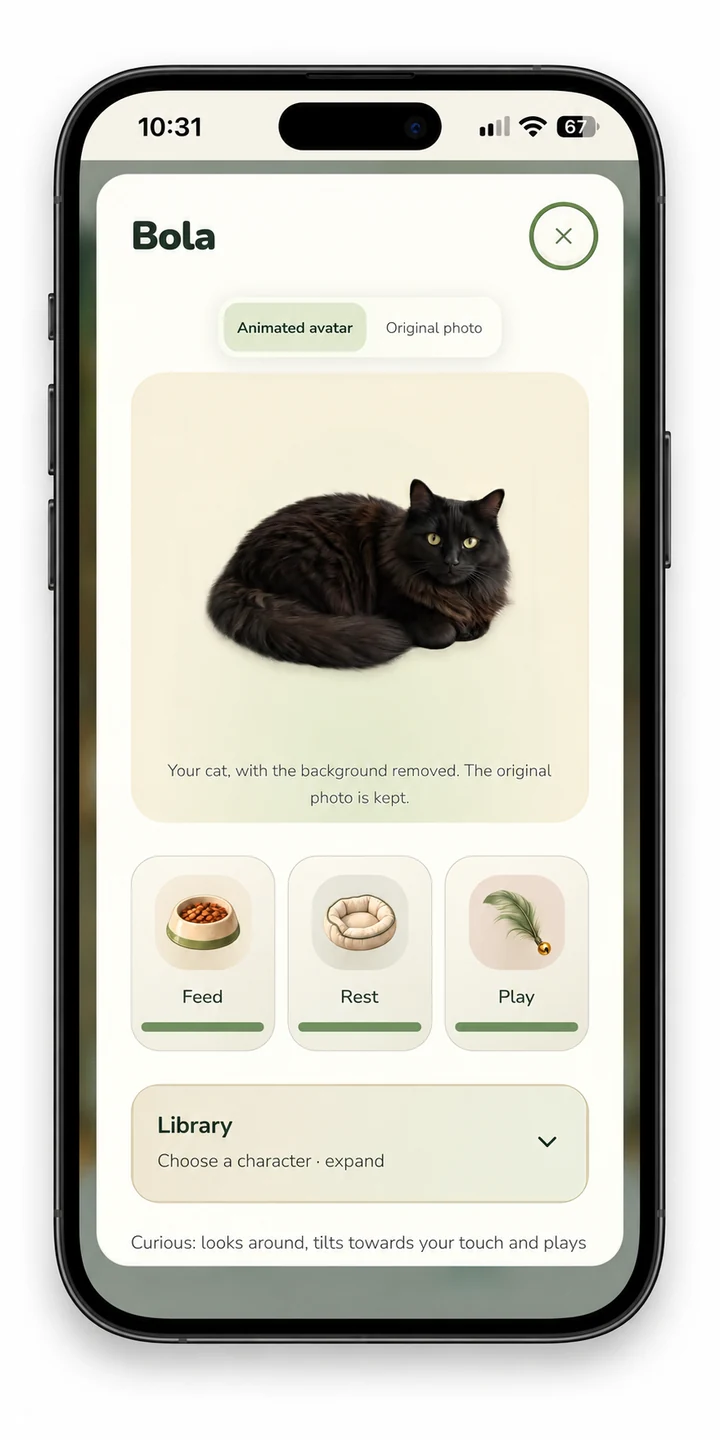
Select a cat before caring or playing. Feed, rest and play to improve its needs and friendship. Needs change over time; rapid repeats have cooldowns and do not create unlimited rewards.
Check the selected cat's name before starting an activity. Clicking a cat in Garden or Home makes it your walking companion and saves the choice. Every cat in your Home shows its name, XP and daily bars.
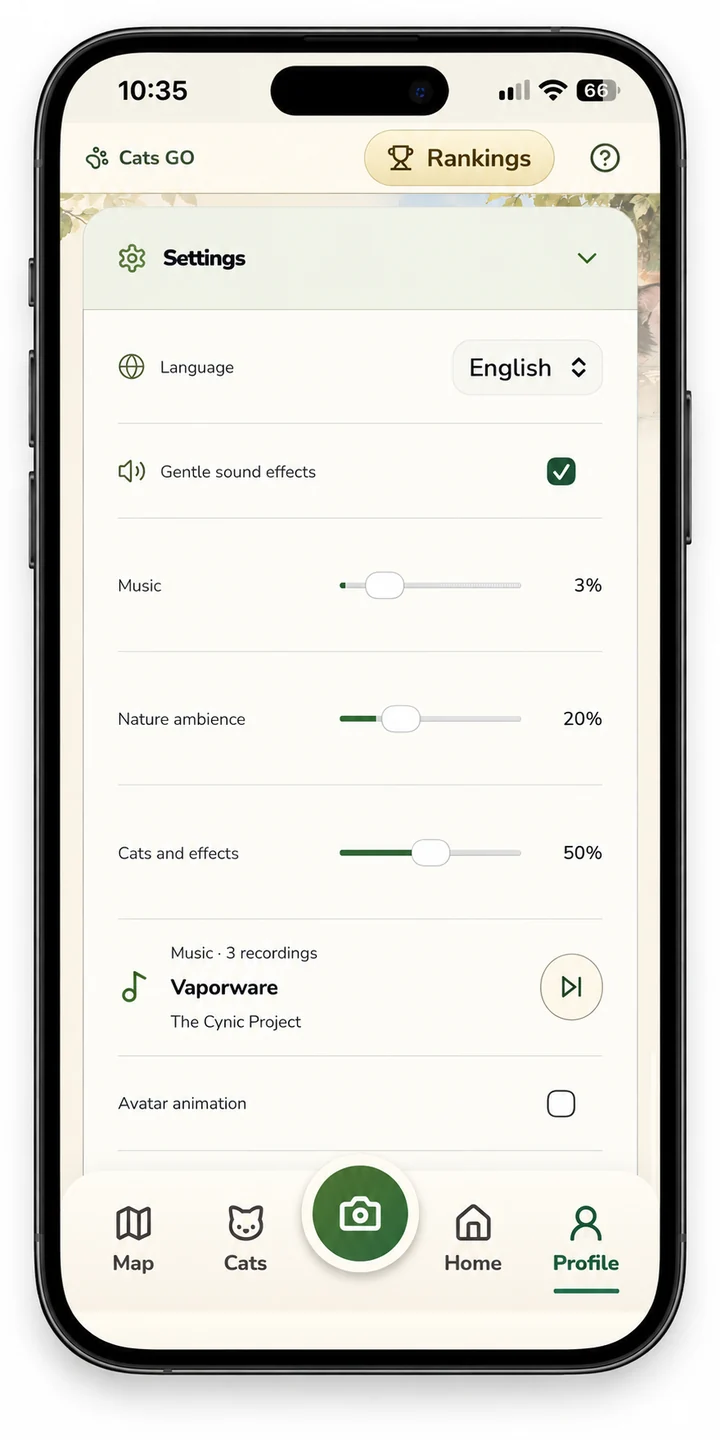
Cat animations are off by default; enable Avatar animation in Profile settings if desired.
Chapter 05
The playroom & mini-games
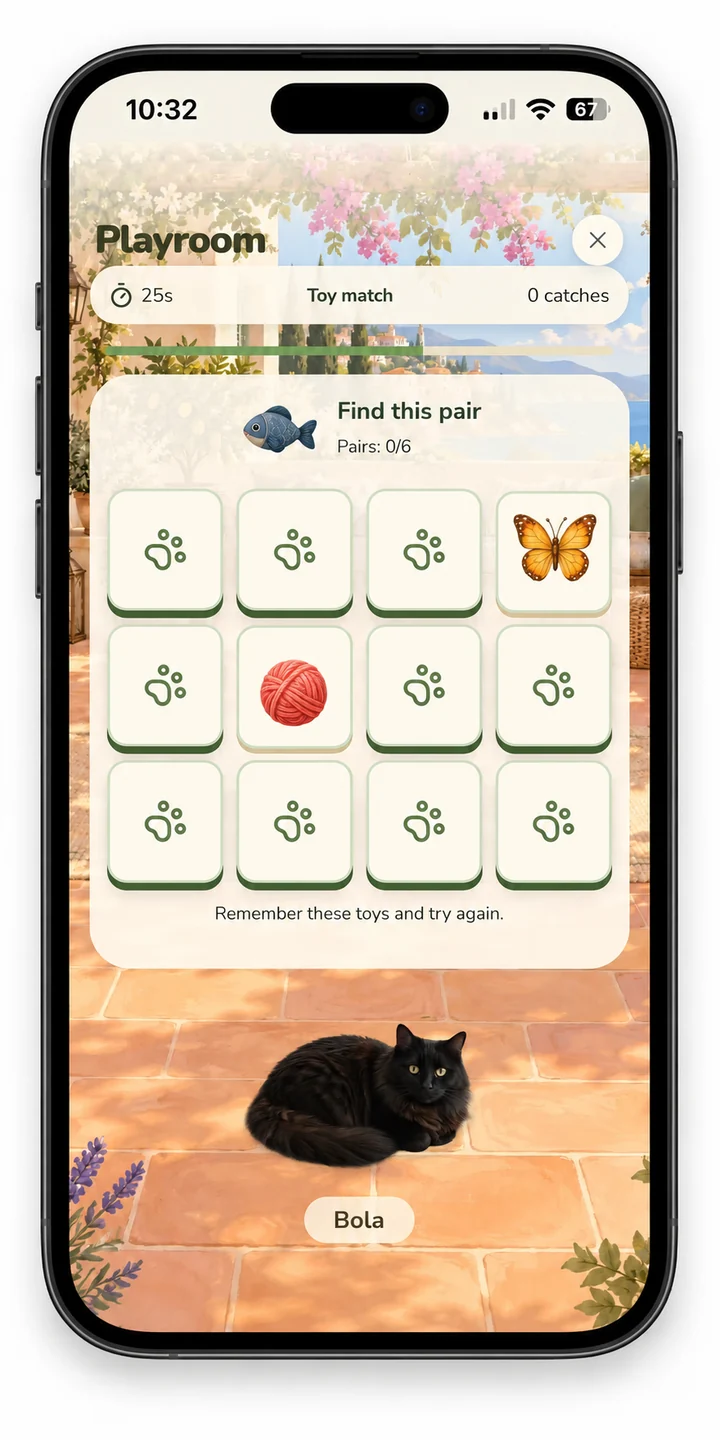
Free games include feather chase, matching cards and repeating the toy sequence. In Premium Match toys, uncover two cards and find all six pairs; wrong pairs hide again. Purr rhythm has a short countdown: tap as the marker reaches the centre, not on every sound.
Hidden toy shows the hiding place briefly, then adds a pause; after three rounds it grows from four to six baskets. The garden shows up to five cats per clearing on all screen sizes. A new clearing opens with every next five cats.
How the games work
- Feather chase: follow and tap the feather target.
- Matching cards: remember the faces and find pairs.
- Toy sequence: watch the sequence and repeat it.
- Premium Match toys: turn over two cards at a time and find six pairs.
- Purr rhythm: wait for the countdown and tap when the marker reaches the centre.
- Hidden toy: watch the hiding place, wait, then choose the basket. The game grows from four to six baskets after three rounds.
Temperament-specific free games are described in Friendship & temperament. Optional Challenge mode gives 25% less time and a smaller feather target, with the same reward caps.
Chapter 06
Experience, levels & daily limits
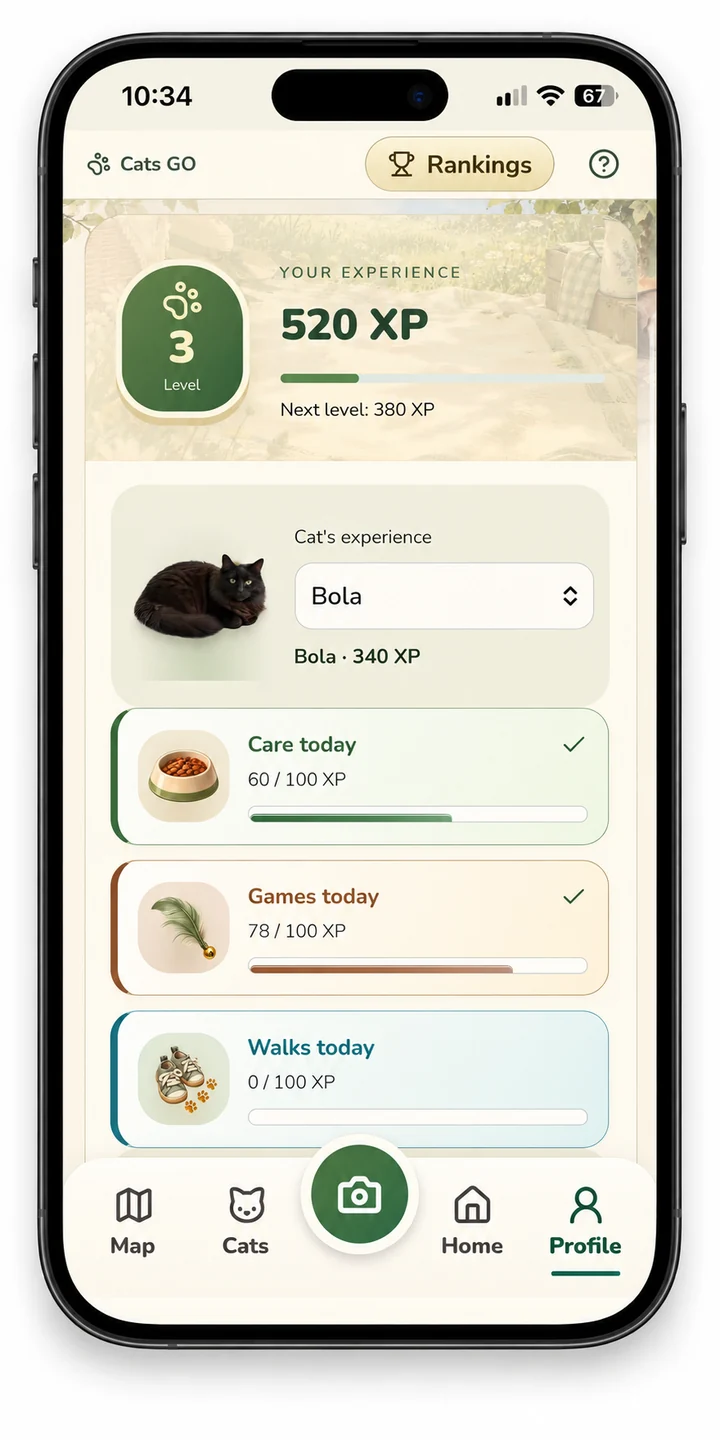
Photos, care, games, walks, quests and community activities can earn XP. In Profile you can select each cat and see its own daily limits: care 100, play 100 and walking 100 XP. Three different qualifying activities with one cat give a 25 XP variety bonus once that UTC day.
Daily limits reset at 00:00 UTC. Player levels use total XP; weekly rankings reset on Monday UTC. More Premium cats do not raise an individual cat's cap.
| Activity | Maximum XP per UTC day |
|---|---|
| Care | 100 |
| Play | 100 |
| Walking | 100 |
| Variety bonus | 25 for completing all three qualifying activity types |
| Combined activity maximum | 325 per cat |
These are activity limits, not a cap on every possible source of player XP. Daily reset is 00:00 UTC, which may differ from midnight in your local time zone.
Chapter 07
Leaves & progress rewards
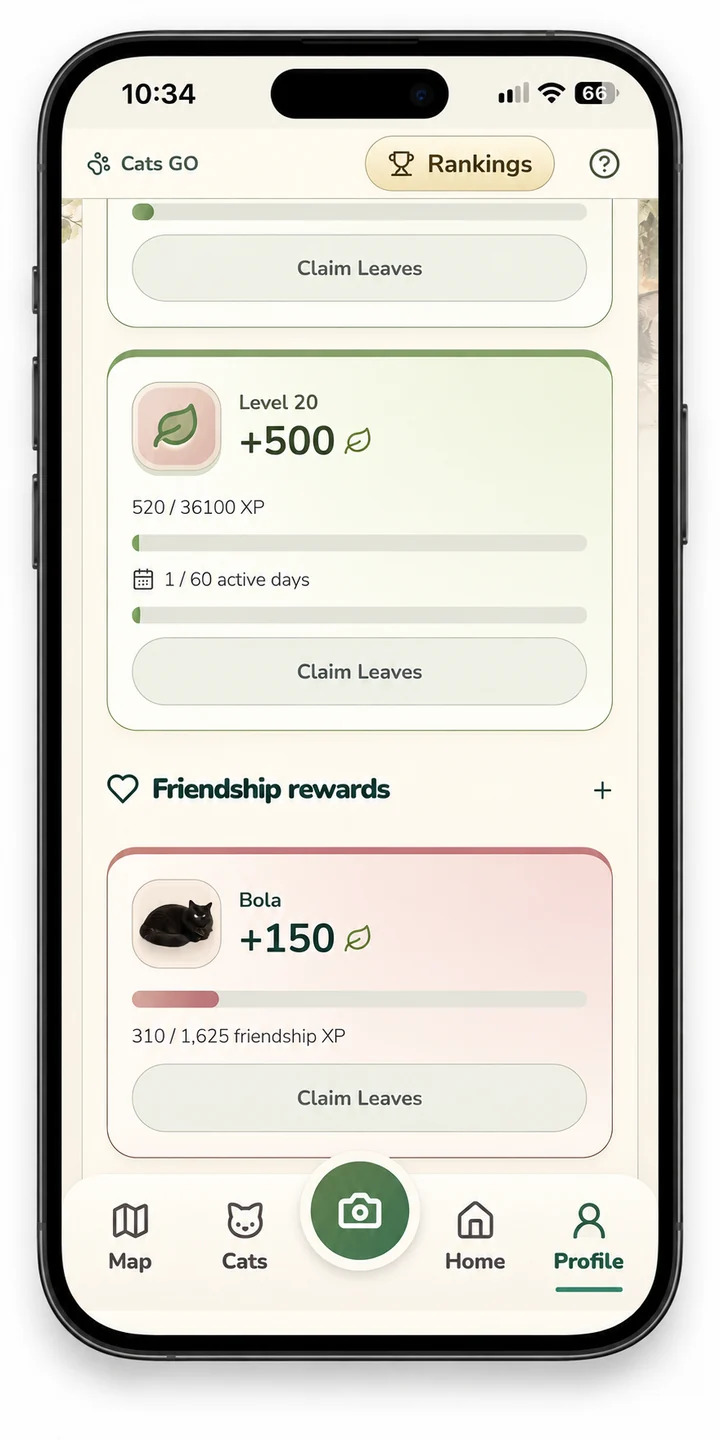
Earn 100, 250 and 500 Leaves at levels 5, 10 and 20, after 7, 21 and 60 active days. Earn online XP for a day to count; days need not be consecutive. Claim each reward once in Profile.
Spend Leaves on home decorations, not AI portraits. Previously earned bonus Paws remain available.
| Milestone | Active online days | Reward |
|---|---|---|
| Level 5 (1,600 XP) | 7 | 100 Leaves |
| Level 10 (8,100 XP) | 21 | 250 Leaves |
| Level 20 (36,100 XP) | 60 | 500 Leaves |
The days do not have to be consecutive. Earn online XP for a day to count, then claim an eligible reward in Profile. Each progress reward can be claimed once.
Chapter 08
Home, rooms & decorations
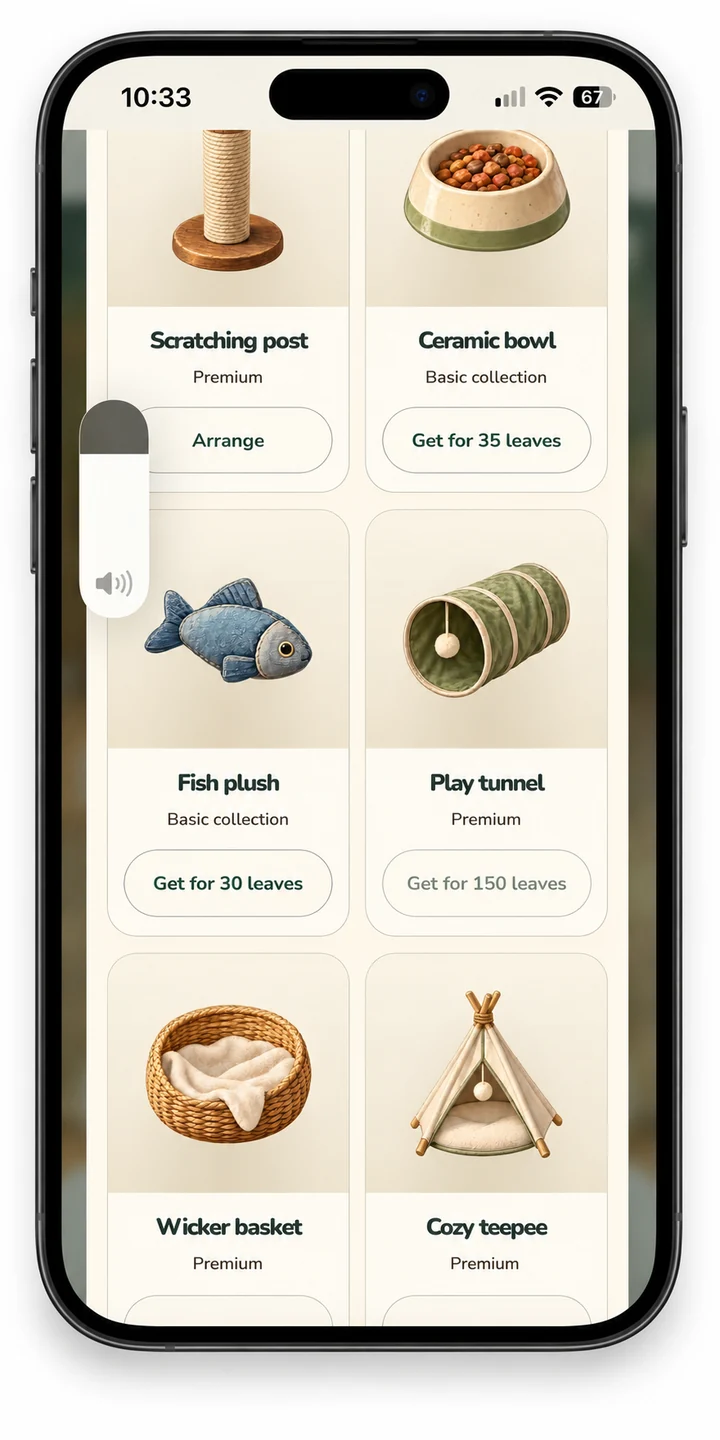
Choose Decorate, select an owned item and place, move, resize or mirror it. Storage keeps items for later. There are 25 decorations: 6 free and 19 Premium.
Homes use up to five cats per room. The next room opens with the sixth cat, then every next five cats. Furniture has its own arrows (3 items at a time), and the item editor can move it to an unlocked room, so all owned items remain reachable.
Ready-made home and garden scenes provide room for large collections. Premium includes five selectable extra room themes. Saving a layout does not buy the item again.
Chapter 09
The worldwide map
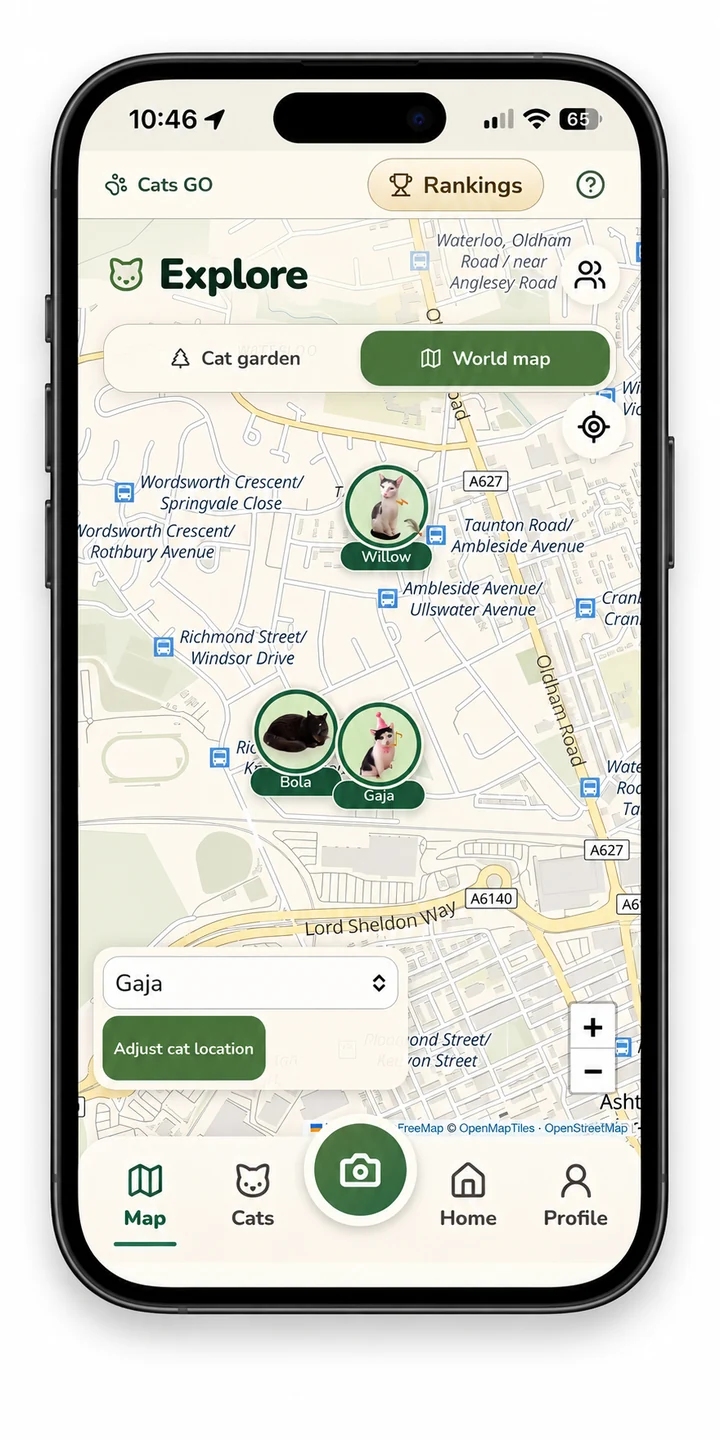
Player profiles never have location pins. Before adding an online cat, choose its encounter location: the camera can use GPS, while gallery photos require a manually selected place. Without GPS you can select the place manually too.
The cat pin appears immediately to signed-in players with a standard icon until its photo is approved. Photos and rankings still require moderation. You can correct the cat's place from its details: open the map, select the cat, choose Adjust cat location, move the map beneath the crosshair and save.
Corrections award no walking XP. Existing private choices are kept; a cat pin can be hidden or removed in the cat's details.
Moving and correcting a pin
- Open Map and select World map.
- Drag to move; pinch or use the plus and minus controls to zoom.
- Select a cat and choose Adjust cat location.
- Move the map beneath the crosshair, review the place and save.
The map covers the world; it is not limited to your local area. A garden position is decorative and is not a GPS coordinate. Changing a saved pin manually never awards walking XP. Only share locations that are appropriate to make visible to other players.
Chapter 10
Worldwide rankings & profiles
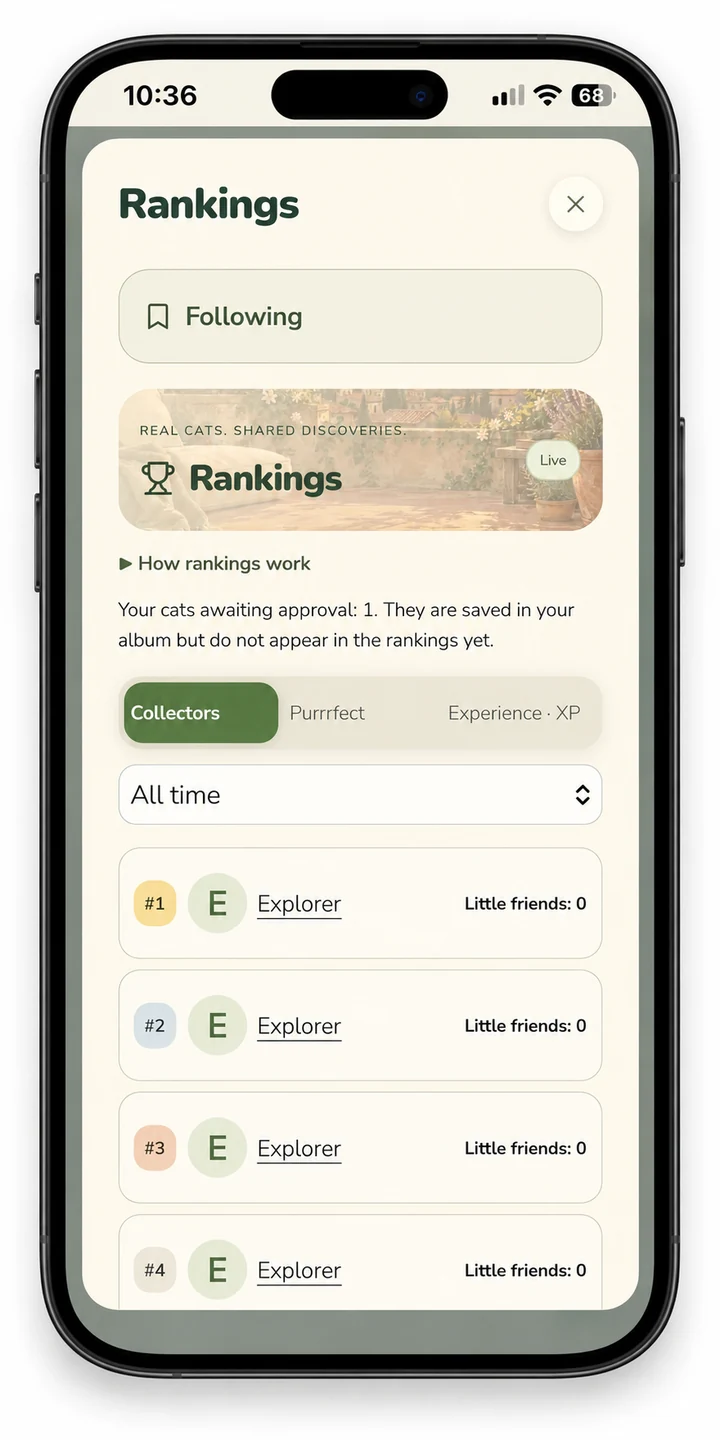
Compete through collecting and XP, not combat. Choose the collection, portrait-vote or XP ranking and an available time range. Scroll the results to see up to 100 players at once.
Search public profiles by player name or an exact friend code; profiles also open from rankings, friends and public cat pins on the map. The collected-cat ranking counts only reviewed, listed cats photographed with the in-game camera. Gallery cats remain in your album and can earn activity XP for the XP ranking; they do not increase the collected-cat count.
Privacy and blocking still control access.
| Ranking | What counts |
|---|---|
| Collectors | Reviewed, listed cats captured using the in-game camera. Care is not required. Imported gallery photos do not add to this count. |
| Purrrfect | Votes for approved, listed cats from the camera or gallery. One permanent vote per account and cat; no self-voting. |
| Experience | Eligible XP, including activities with gallery cats. Activity limits still apply. |
Use the trophy in the top bar to open rankings. Switch category and available time range, or use Following for players you follow. Weekly rankings reset on Monday UTC. Worldwide describes the shared scope of the game, not a promise that the app is released in every app-store region.
Chapter 11
Free play, Premium & Paws
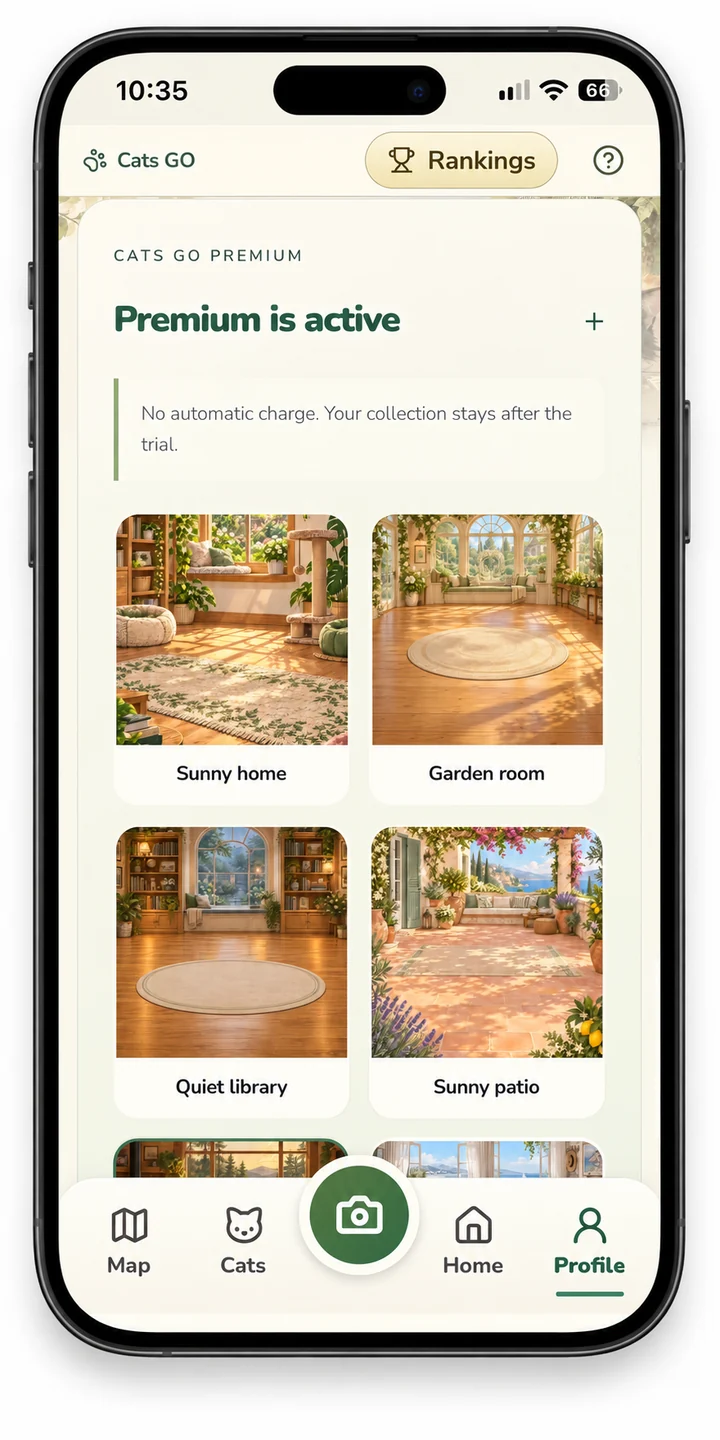
Free play holds up to 10 cats. Premium is a one-time unlock; the separate 7-day trial has no automatic charge. Cats stay after expiry; adding beyond the free limit and selecting Premium extras requires active Premium.
Paid Premium includes one AI portrait per account, excluded from the trial. Further portraits cost one purchased Paw each. Restore or repurchase does not reset a used included portrait.
Failed or unavailable generation keeps your entitlement. The store shows the local price before purchase.
No subscription is required
Play the core game for free with up to 10 cats. If you want the full game beyond that free allowance and the Premium catalogue, Premium is a single purchase, not a monthly or yearly subscription. Optional AI portrait generation is separate; it is never required for collecting, care or ordinary play.
| Item | Purpose |
|---|---|
| Premium | One-time full-game unlock. Includes one personal AI portrait per game account when the service is available. |
| Leaves | Earned game rewards for home decorations. Not AI portrait credits. |
| Paws | Optional portrait credits. One purchased Paw funds one successfully delivered additional AI portrait. |
The seven-day trial does not charge automatically and excludes the included paid-Premium portrait. Trial expiry keeps existing cats; adding above the free limit or choosing Premium extras requires an active entitlement. Restore using the correct game and store accounts. A used included portrait does not reset when Premium is restored or purchased again. Read the full purchase terms.
Chapter 12
Saving, recovery & help
Online progress is stored on the game server; use the same account to return. The local album is saved on this device and can be lost when app data is cleared. Export before uninstalling; local progress is not automatically merged online.
Email recovery requires the operator's mail service; Google/Apple sign-in is not yet active in this test build. Profile includes export, deletion, terms and support. Sound, music and reduced motion are also in Profile.
Younger players can use the private local album.
Export your local album. A device-only collection is not automatically uploaded or merged into an online account. Signing into a different game account does not restore another account’s progress.
Chapter 13
Temperament & friendship rewards
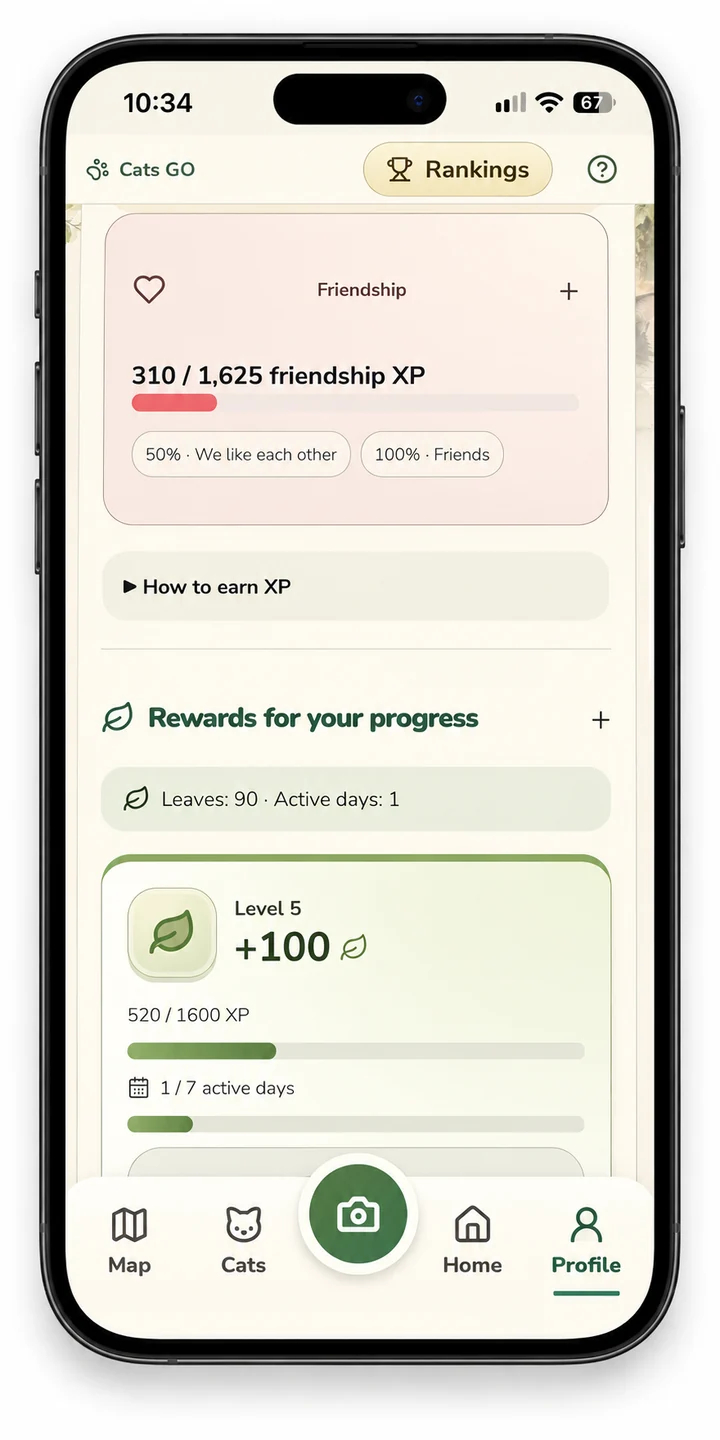
Each cat earns up to 100 care + 100 play + 100 walk XP daily, plus 25 for doing all three: 325 per UTC day, 1,625 over five full days. Friendship reaches ‘We like each other’ at 50% and ‘Friends’ at 100%. Photos, quests, purchases and extra clicks do not accelerate it.
Previous friendship is kept. Curious cats play hidden toy, playful cats bouncing ball, sleepy cats calming purr and hunters perfect pounce; these free special games share the play XP cap. Drag your cat in Home; the position is saved.
Names are suggested automatically and editable. Album cards use 15 new illustrated scenes. Very blurry, tiny or badly exposed photos need another try.
New online cats have photo sharing enabled by default; you can disable it. The gallery is visible only after moderation approves it. One permanent anonymous-to-other-players Purrrfect vote per account and cat; no self-votes.
After 1,625 new online friendship XP, claim 150 Leaves per cat photo; up to three claims per rolling 30 days, further rewards wait. Premium does not increase this limit. These rewards buy home decorations, not AI portraits.
Local walking uses optional GPS on the device, without publishing your position.
A bond, not a chore
Care, play and walking can add up to 325 friendship XP per cat each UTC day. Reaching 1,625 new friendship XP therefore takes at least five full activity days. Missed days do not remove the friendship already earned. Photographs, purchases and extra clicks cannot skip this progression.
- Curious: a hidden-toy activity.
- Playful: bouncing ball.
- Sleepy: calming purr.
- Hunter: perfect pounce.
These free temperament activities share the same play-XP limit. Friendship rewards are 150 Leaves per cat photo after the required new online friendship XP, up to three claims in a rolling 30-day window. Additional eligible rewards wait; Premium does not increase that claim limit.
Chapter 14
Finding your way around
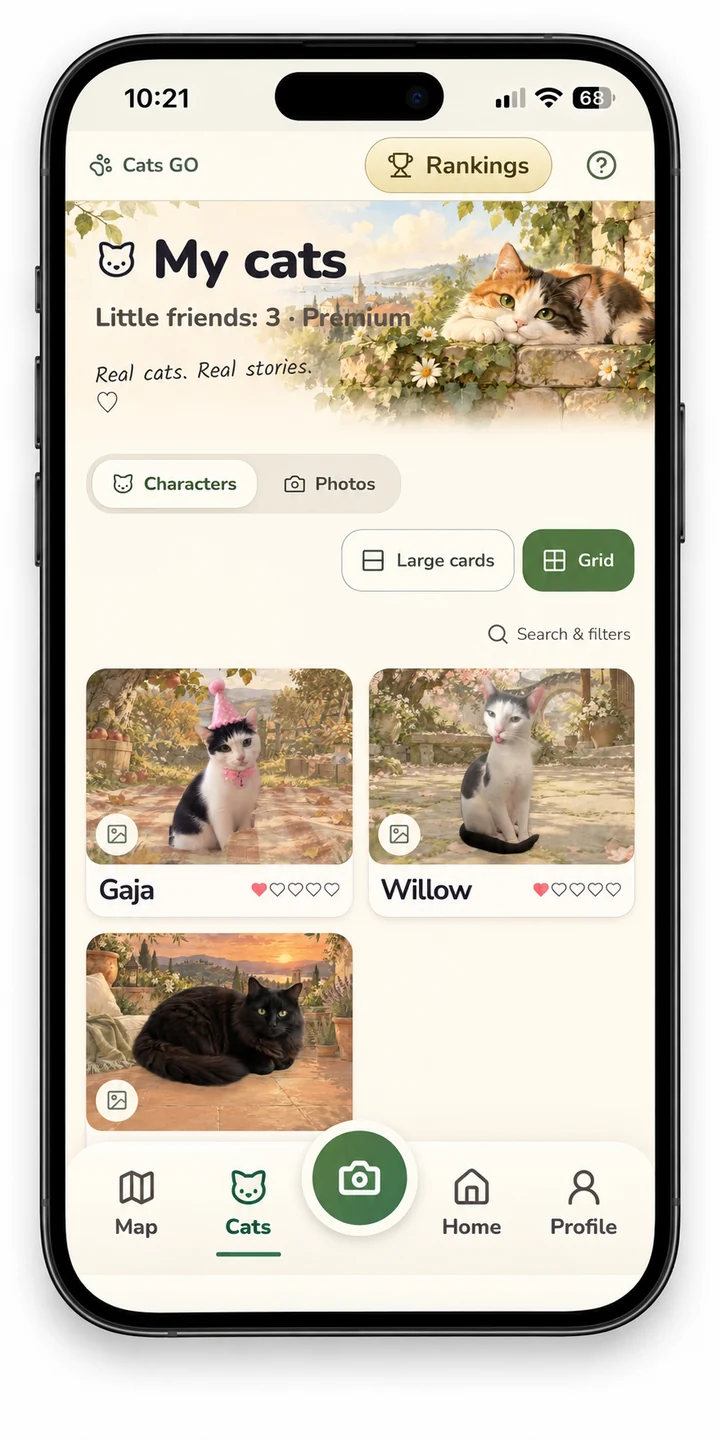
Use Cat garden to see your own collection in clearings of five cats. The sixth and every next five cats open another clearing. World map is a real OpenFreeMap map: drag to move, pinch or use +/− to zoom, tap the location button for GPS.
Opening the map needs internet. Public cat pins require the online edition and sharing choices; photo display requires moderation; private gardens are never GPS positions. Rankings are one tap away from the trophy in the top bar and show up to 100 scrollable results.
My cats has Large cards and Grid layouts; your choice is saved.
| Control | Use it for |
|---|---|
| Map | Switch between your Cat garden and the worldwide map. |
| Cats | Browse your collection in Grid or Large cards, with character and photo views. |
| Camera | Add a cat from the camera or photo gallery. |
| Home | See companions, open care, play and decorate. |
| Profile | XP, friendship, rewards, Premium, settings, privacy and account tools. |
| Trophy | Worldwide rankings. |
| Question mark | In-game help and guide. |
Chapter 15
Following players & moving cats
Tap a player name in a ranking to see their level, XP and gallery of approved, shared cats. All public players, including those with zero points, are available across ranking pages. Private and blocked profiles remain hidden.
Open a public profile and tap Follow player. Following in the ranking window keeps quick access to public cat counts and XP gained since following. You can unfollow; private or blocked profiles remain hidden.
In the garden, enable Move cats, drag a cat or use arrow keys, then tap Done. This saves separately from Home. In World map select a cat and choose Adjust cat location, move the map beneath the crosshair and save.
The locate button centers the map using private GPS. Manual pin changes never award walking XP. Home labels always show the cat name, XP and today's care/play/walk limits.
Help expands movement tips; notices can be dismissed.
Chapter 16
Profile, photos & sharing
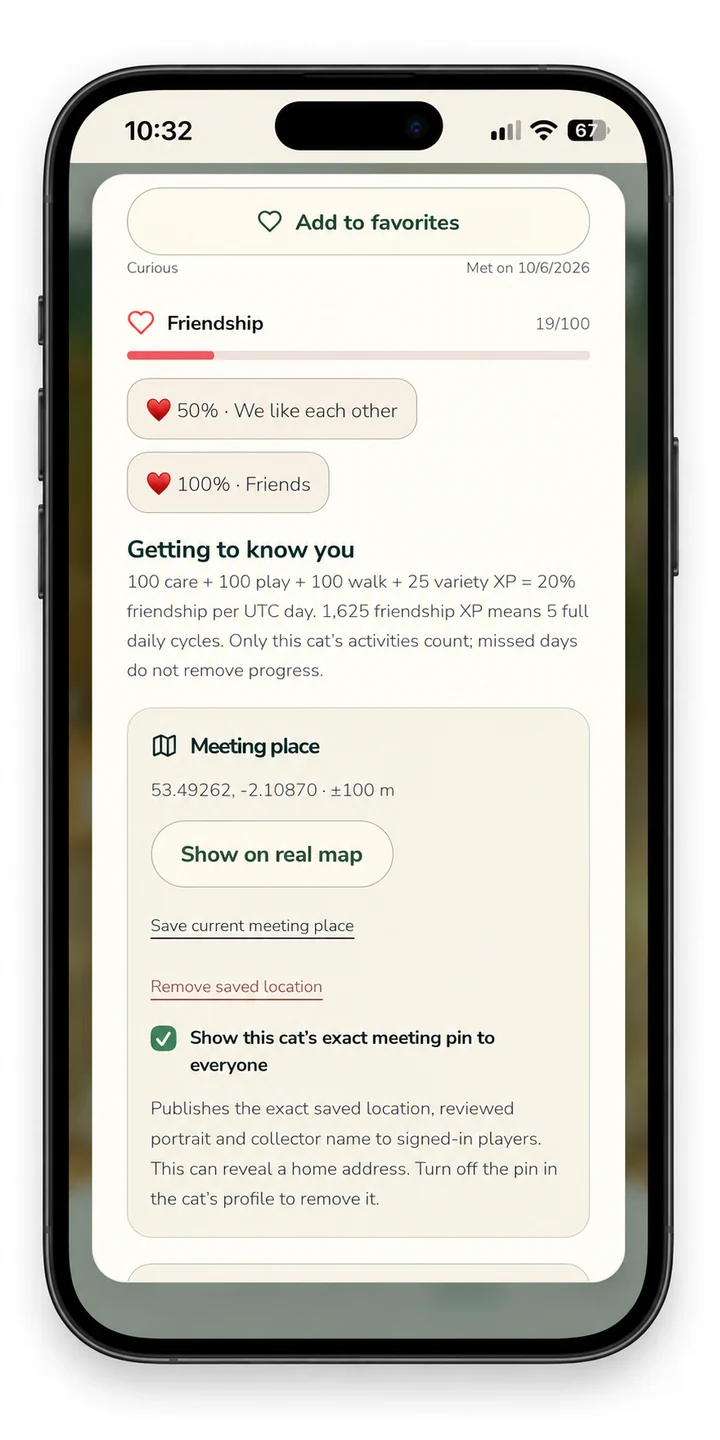
Settings and Privacy start collapsed: tap their headings to open them. Tap your profile picture to add, preview, replace or remove a JPG, PNG or WebP image (up to 10 MB). This personal picture is private.
New online profiles and reviewed cats are public by default; you can disable sharing. New cats join all applicable rankings automatically after moderation, with photo sharing enabled. You can disable either option when adding a cat or later.
Location sharing remains a separate choice. Existing private choices are kept. Public profile preview shows which cats are private or awaiting approval.
The public gallery count includes approved shared cats. Player profiles never have location pins. Before adding an online cat, choose its encounter location: the camera can use GPS, while gallery photos require a manually selected place.
Without GPS you can select the place manually too. The cat pin appears immediately to signed-in players with a standard icon until its photo is approved. Photos and rankings still require moderation.
You can correct the cat's place from its details: open the map, select the cat, choose Adjust cat location, move the map beneath the crosshair and save. Corrections award no walking XP. Existing private choices are kept; a cat pin can be hidden or removed in the cat's details.
Review these settings before sharing
- Profile visibility: controls access to your public player profile.
- Cat listing and photo sharing: review each cat separately; new online cats start with photo sharing enabled.
- Encounter location: permission to use GPS is distinct from publishing a place.
- Home sharing: a separate choice before friends can visit.
Moderation is required for photos and rankings. A cat pin can initially show a standard icon before photo approval. Blocking and private settings continue to restrict access. Other people can keep screenshots of previously shared content; withdrawing sharing cannot retrieve those copies.
Chapter 17
Shared adventures
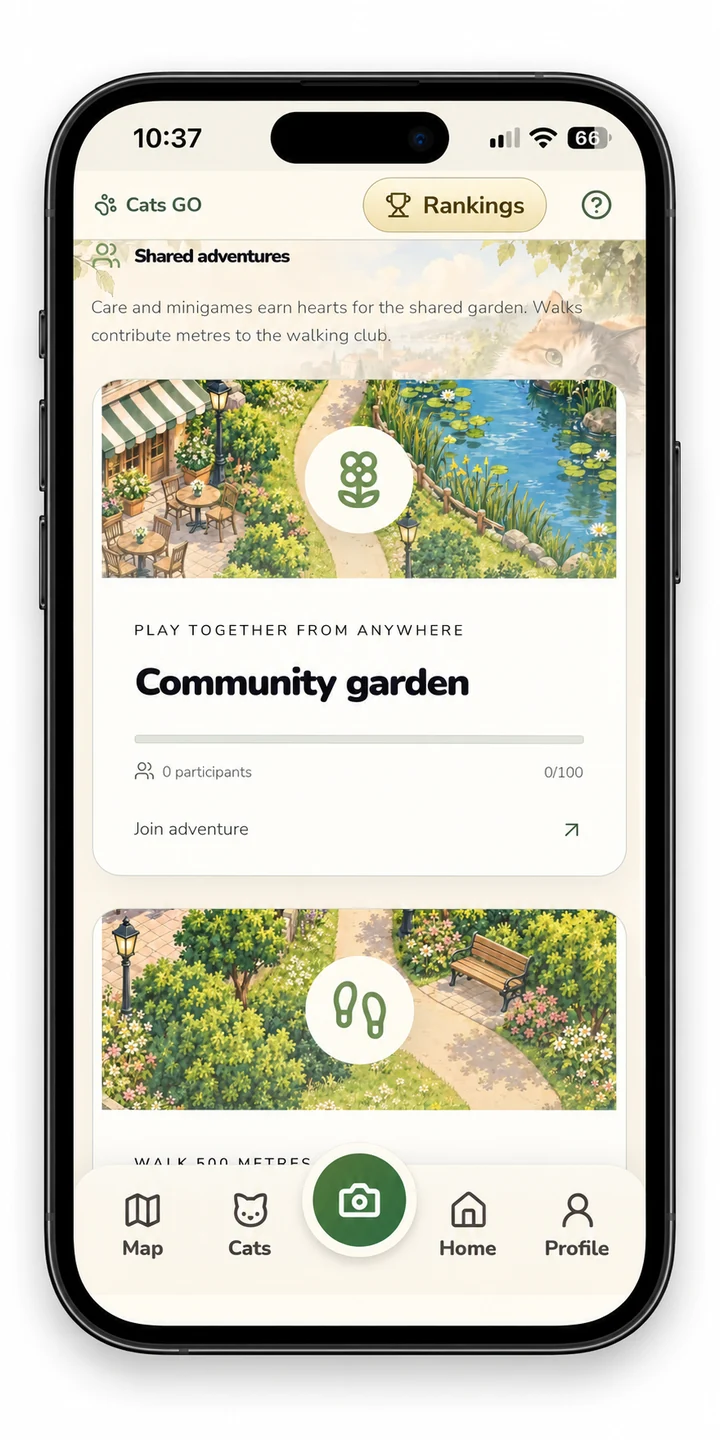
Join an online adventure, then care for or play with your cats, or walk for the walking adventure. Use Share your progress to contribute: each care or game adds 5 points, walking adds measured metres. The common goal is 100 points or 1,000 metres.
Contributions and reactions update for other players. Anyone with a positive contribution can claim 60 Leaves and up to 40 extra XP once the goal is reached; the community XP daily cap still applies. New events appear weekly.
Earned unclaimed rewards stay available after an event ends. Joining alone earns no reward.
Join, contribute, claim
- Join the available adventure and read its goal and timer.
- Complete eligible care or game actions, or record a garden walk for the walking event.
- Return and choose Share your progress to contribute the available points.
- Reach the common goal before the event ends.
- If you contributed, claim the unlocked reward.
Care and rewarded games contribute 5 points per action; walking contributes 1 point per recorded metre. Current shared goals are 100 points or 1,000 metres. Contributions are pooled across participants, not only friends. Joining without contributing does not earn a reward.
Chapter 18
Updates & protecting your save
Install updates over the existing app from the same store. Online accounts keep cats, progress and Premium on the server: sign in to the same Cats GO account if needed. Google Play purchases can be restored from the same Google account.
Your local album stays in the app on this device during a normal update. Export an album backup before changing devices or uninstalling: clearing app data or uninstalling can erase it. The local album is not automatically merged into an online account.
Profile → Privacy contains export and deletion; help is reviewed for each release.
Install an update over the existing app from the same store. Avoid uninstalling as a first troubleshooting step. In a test build, feature labels and availability can change; this guide reflects the reviewed version stated at the top.
Chapter 19
Photo errors & album styles
If saving fails, the open form keeps your photo and name so you can retry. Device recognition is a preview; the online server also checks the photo. An invalid file, a duplicate, a service failure and a cat that cannot be confirmed have different messages.
Collectors counts only cats photographed with the in-game camera, after listing and approval. Cats imported from your gallery stay in your collection and their activities can earn XP for the XP ranking, but never increase the collected-cat ranking. Purrrfect accepts approved, listed cats from either source.
The ranking shows how many of your cats await approval. Cream, Sage and Rose change the Cats tab background and album cards; the room theme is a separate choice.
Chapter 20
Care controls & automatic saving
Tap a home or garden cat once to open its details. Feed, Rest and Play are directly under the picture. Rankings and photo sharing are in a collapsed section.
Confirmed game actions save to your account, or on-device in a private album. Network failures display an error; wait for confirmation before closing during an action. Changing the main tab is remembered on this device for your account.
No manual Save button is needed. Rankings use compact rows with rank, name and result. Home and garden sizes adapt to space so every cat stays reachable.
Sound, motion and presentation
Open Profile and expand Settings for sound effects, music, nature ambience and motion controls. Avatar animation is off by default. Cream, Sage and Rose change album presentation; room themes are a separate choice. Use the in-game help to find controls in your selected language.
Chapter 21
Visiting friends & team challenges
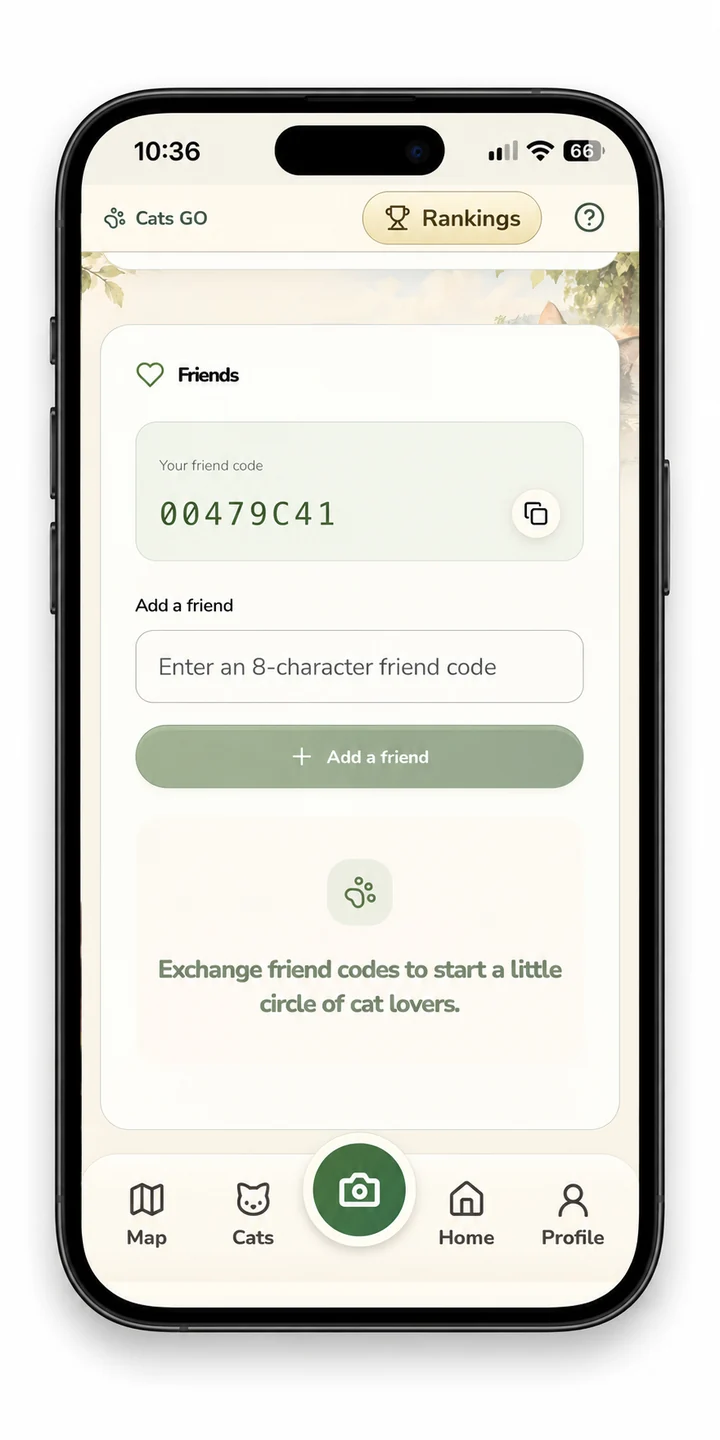
After a friend accepts your code invitation and enables home sharing, choose Visit home in Together. Only reviewed cats appear; arrows switch rooms of up to five cats. Team missions pool contributions from all participants, not only your friends.
Join, then play or care (5 points per rewarded action), or record a garden walk (1 point per metre). Today's earlier activities count too. Return to the mission and contribute the ready points once; four milestones show team progress.
Reach the goal before the timer ends, then each contributor can claim 60 leaves and up to 40 XP, subject to daily XP limits. Optional Challenge mode in the playroom gives 25% less time and a smaller feather target, with unchanged reward caps. Collecting cats never requires these activities.
Visiting requires an accepted friend-code invitation and the other player’s home-sharing choice. Public player profiles and following are separate from permission to visit a home. These social activities are optional; collecting never depends on them.
Quick reference
The Cats GO glossary
- Collection
- Your own cats, including camera captures and imported photographs.
- Collectors ranking
- The worldwide ranking of eligible reviewed cats photographed using the in-game camera.
- XP
- Experience points used for player progression and the experience ranking.
- Friendship
- A separate bond with an individual cat, developed through its eligible activities.
- Leaves
- Earned rewards spent on home decorations.
- Paws
- Optional personal AI portrait credits.
- Purrrfect
- A vote for an approved, listed cat; other players see the count, not voter identities.
- Premium
- A one-time unlock, with no recurring subscription.
- UTC day
- The shared daily period for activity caps; it resets at 00:00 UTC.
- Local album
- A private collection stored on the current device, separate from an online account.
When something goes wrong
Common problems & next steps
- Photo not accepted: check brightness, clarity and cat visibility. Distinguish a duplicate warning from a service or connection error.
- A cat is missing from Collectors: gallery imports do not count; camera captures need approval and listing. Check the pending moderation count.
- No more activity XP: inspect the selected cat’s daily bars and cooldowns. Caps reset at 00:00 UTC.
- Friendship reward unavailable: check the new online friendship XP threshold and rolling claim limit.
- Map cannot load: check connectivity. For GPS problems, check permissions or choose an encounter location manually.
- Missing local album: check that you are using the original device and mode. Do not clear storage. Look for an exported backup.
- Premium missing: confirm the game and store accounts and try the restore option.
- A request is still unresolved: contact support with device, app version and exact error text, without passwords or card details.